Use cart contents conditions to check which items are in a customer's cart. To make Shopify restrict products by customer, combine a cart contents condition with a customer condition in the same group.
What can you check?
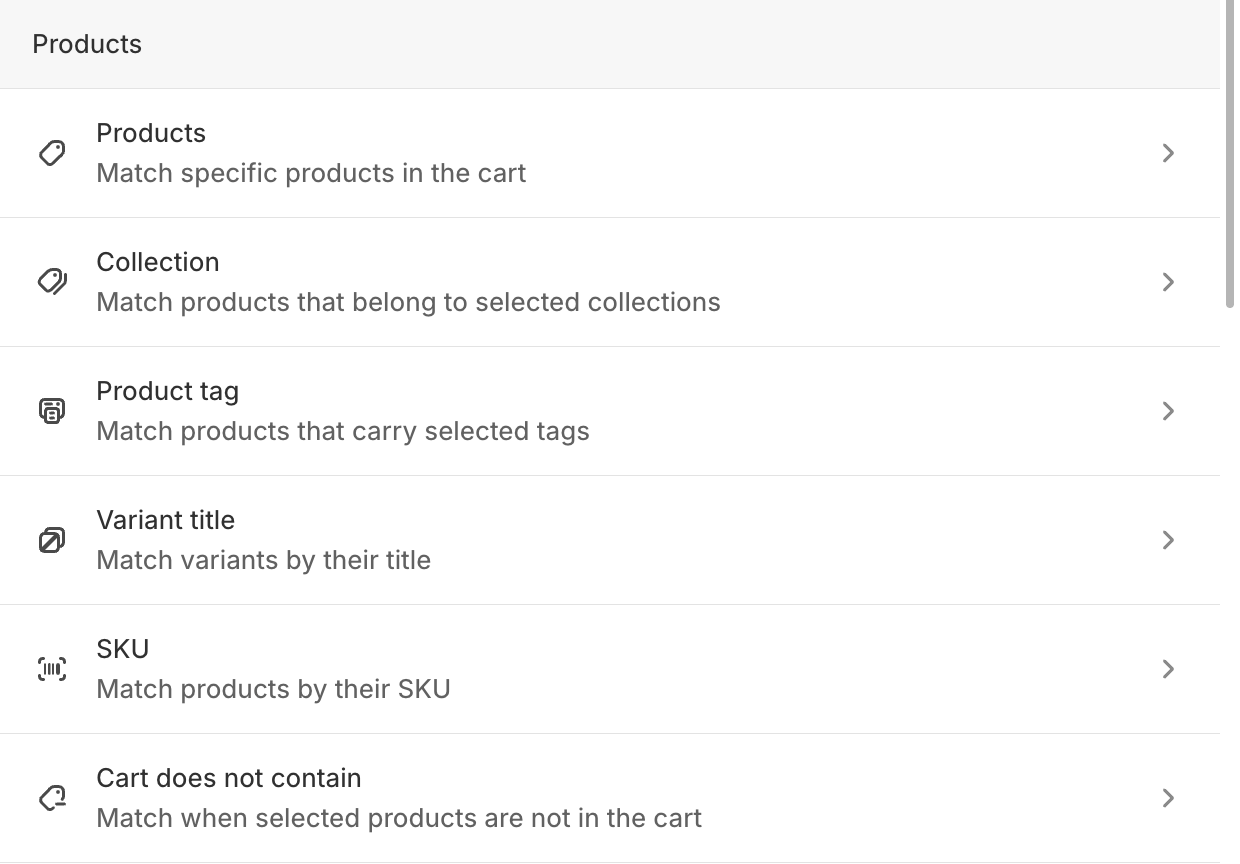
Choose Cart contains to match a cart with the items you specify. Choose Cart does not contain to match when that check is false. A checkout rule shows your error when its conditions match.
| Cart contents choice | What you enter | Available with | | -------------------- | -------------------------------------- | ------------------------------------------------------------------------------- | | Products | Select products from your store. | Standard input, Shipping input, Attribute input, Customer input | | Collections | Select collections from your store. | Shipping input, Attribute input | | Product tags | Enter the tags to match. | Standard input, Shipping input, Attribute input | | SKUs | Enter a SKU or the beginning of one. | Attribute input | | Variant titles | Enter a title or the beginning of one. | Attribute input |
Customer input offers Cart contains only. It does not have Cart does not contain.
“Only” or “at least one”?
Choose only selected product(s) when every cart line must be one of the products you selected. Choose at least one selected product when any cart line can be a selected product, even if the cart also has other items. The collection and product tag choices follow the same pattern: only products from collection(s) or only products with tag(s) checks every line; at least one product from collection(s) or at least one product with tag(s) checks for one matching line. An empty cart does not satisfy either pattern.
For example, to stop a cart that includes a restricted product, use Cart contains → at least one selected product. To stop a cart that contains nothing outside a selected range, use Cart contains → only selected product(s).
SKUs and variant titles
With Attribute input, you can check an exact SKU or variant title, or choose an operator that starts with the text you enter. For example, any product with SKU(s) that start with and WHOLESALE- matches a SKU beginning with that prefix. only variant titles that start with checks every cart line. Text matching ignores letter case. Separate multiple SKUs, titles, tags, or prefixes with commas.
Use the product and collection pickers
For a product condition, select Select products and pick one or more products. For a collection condition, select Select collections and pick one or more collections. The selected names appear next to the condition, and you can use Change products or Change collections to update them. These picks belong to your store; if you import the rule into another store, choose the products or collections again.